

Labor costs rarely rise because of one obvious problem. More often, they increase through small inefficiencies that compound across scheduling, time tracking, payroll, and workforce administration.
For shift-based organizations, disconnected workforce systems can be a major source of those inefficiencies. When employee scheduling happens in one platform, attendance tracking in another, and payroll somewhere else, workforce data has to move between systems. If that movement depends on spreadsheets, manual exports, duplicate data entry, or manager intervention, every handoff creates another opportunity for delays and errors.
Effective workforce management systems connect these processes so information can flow from the schedule to actual hours worked and ultimately to payroll. The result is not simply a more convenient technology stack. Integration can give operations and HR leaders greater control over labor costs, compliance, staffing, and workforce management outcomes.
The Hidden Cost of Disconnected HR Systems
A scheduling tool may work well on its own. So might a time clock or payroll platform. The problem emerges when systems don’t share information effectively.
Consider a typical shift-based workflow.
A manager creates an employee schedule. Employees work their shifts and record their time through a separate attendance system. Someone then reviews those records, reconciles discrepancies against the schedule, and transfers approved hours into payroll.
Every manual step creates friction.
An employee might stay 30 minutes beyond a scheduled shift without the scheduler immediately seeing the additional labor cost. A missed punch might require a supervisor to reconstruct an employee’s hours. An approved schedule change might not make it into the system used to process payroll.
The individual discrepancy may be small. Across hundreds or thousands of shifts, however, these exceptions can become a persistent labor-cost problem.
This is why system integration matters. Instead of treating scheduling, attendance, and payroll as independent administrative functions, organizations can connect them into a continuous workforce workflow.

1. Manual Data Transfers Increase Payroll Errors
Payroll depends on accurate time data.
When attendance information must be manually exported, reformatted, corrected, or re-entered before payroll can process it, accuracy depends on administrative work.
Common problems can include:
- Duplicate or missing time entries
- Incorrect shift lengths
- Missed overtime
- Incorrect pay codes or rates
- Unrecorded schedule changes
- Errors introduced while copying information between systems
These problems create costs beyond an incorrect paycheck. Payroll and HR teams have to investigate discrepancies, supervisors may need to verify what happened, and corrected payments may need to be processed.
Integrated workforce management reduces those handoffs. Celayix, for example, supports integrations between scheduling, time and attendance, payroll, HR, and other business applications so workforce information can move between systems without relying entirely on manual re-entry.
The goal is straightforward: capture workforce data once and allow it to move through the appropriate workflow with as little manual intervention as possible.
2. Disconnected Attendance Tracking Makes Overtime Harder to Control
Overtime is easier to manage before it occurs than after it appears in payroll.
That requires visibility.
If a scheduling system doesn’t have timely access to actual hours worked, a manager assigning an open shift may not realize the selected employee is already approaching an overtime threshold.
By the time attendance records reach payroll, the extra cost has already been incurred.
Connected employee scheduling and attendance tracking give managers a clearer picture of scheduled and actual hours. Managers can then factor in overtime, availability, qualifications, and other workforce rules before assigning another shift.
Tools to forecast labor costs and select qualified employees while considering overtime and other scheduling constraints can enforce overtime caps and other rules during workforce assignments.
That changes labor-cost management from a retrospective exercise into a more proactive one.
3. Poor Integration Creates More Administrative Work
Not every labor cost appears as wages paid to frontline employees.
Administrative time matters too.
When workforce systems are disconnected, managers can spend significant portions of their day reconciling information:
- Comparing schedules with timecards
- Investigating missed punches
- Updating employee information in multiple places
- Checking overtime manually
- Correcting payroll files
- Calling employees to confirm availability or shift changes
- Building reports from several data sources
None of these tasks directly improves service or production. They are costs created by the process itself.
An integrated workforce management system can automate more of that movement. Employee information can be synchronized, attendance can be matched against scheduled shifts, and approved time can flow toward payroll with fewer manual steps.
Time and attendance software combines scheduling and time tracking with integrations into HR and payroll systems, including automated attendance matching.
For operations leaders, the benefit is capacity: supervisors can spend less time maintaining workforce data and more time managing the operation.
4. Fragmented Systems Increase Compliance Risk
Accurate workforce records matter for more than payroll. They can also be a compliance requirement.
In the United States, for example, the Fair Labor Standards Act requires covered employers to maintain specified records relating to employees’ wages and hours. The U.S. Department of Labor states that required records must accurately capture information including hours worked each day and workweek, regular pay rates, overtime earnings, and total wages paid.
Requirements vary by jurisdiction, industry, collective bargaining agreement, and workforce structure, but the operational challenge is similar: organizations need reliable workforce data.
Disconnected HR systems can make that harder.
If scheduling shows one set of hours, attendance another, and payroll a third, HR teams may have to piece together what happened. Breaks, overtime, absences, qualifications, and schedule changes may also be spread across multiple systems.
Integrated workforce management creates a clearer data trail. Scheduling rules can prevent inappropriate assignments, attendance systems can document actual time worked, and records can flow into payroll and reporting workflows.
The result is stronger documentation and fewer gaps between what was scheduled, what actually happened, and what was paid.
5. Disconnected Scheduling Can Lead to Overstaffing and Understaffing
Labor-cost control is not simply about reducing hours. It is about matching labor to operational demand.
Overstaff a shift, and the organization pays for unnecessary capacity.
Understaff it, and the consequences can include overtime, rushed replacement decisions, service disruption, supervisor workload, or lost revenue.
Good employee scheduling therefore depends on more than knowing who is available. Managers need visibility into qualifications, hours, costs, attendance, demand, and workforce rules.
When that information is scattered across systems, managers often make staffing decisions with only part of the picture.
Unified workforce data helps managers answer more useful questions:
Who is available and qualified? Who is approaching overtime? Where are we consistently overstaffed? Which locations generate the most attendance exceptions? How closely do scheduled hours match actual hours?
These are the kinds of questions that turn workforce data into better staffing decisions.
6. Fragmented Data Makes Labor Costs Harder to Understand
Operations leaders need more than a final payroll total.
They need to understand why labor costs are changing.
That requires connecting information across the workforce lifecycle. A spike in overtime, for example, may stem from absenteeism, scheduling practices, vacancies, demand fluctuations, or repeatedly assigning the same employees to open shifts.
If those data points live in separate systems, identifying the cause requires manual analysis.
Unified workforce management creates a more complete operational picture. Leaders can compare scheduling, attendance, overtime, payroll, coverage, and other workforce metrics rather than evaluating each one in isolation.
Workforce analytics across areas including scheduling, attendance, overtime, payroll, billing, and profitability, allowing organizations to examine workforce performance across connected processes.
That visibility can improve workforce management outcomes because managers can address the cause of labor-cost problems rather than simply reacting to the final expense.
What Unified Workforce Management Looks Like
Unified workforce management does not necessarily mean replacing every HR system with one enormous platform.
For many organizations, the more practical goal is to create a connected technology environment where specialized systems exchange information reliably.
A connected workflow might look like this:
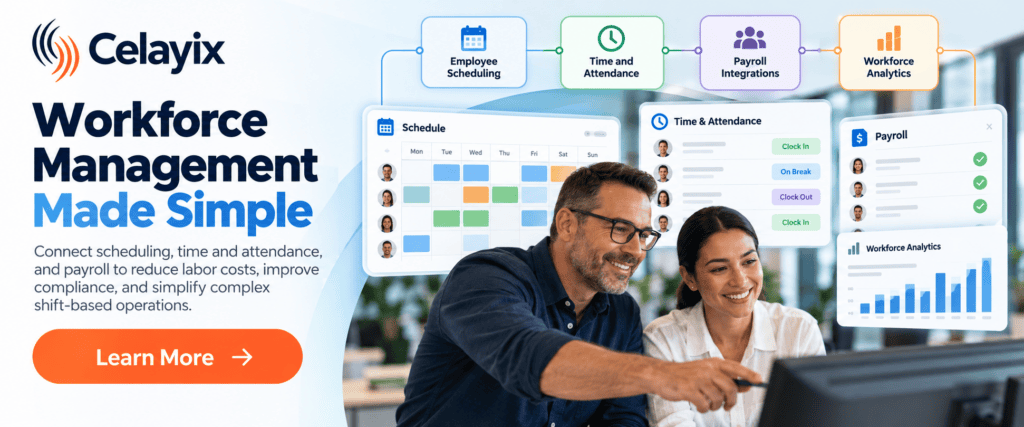
Employee data → Scheduling → Time and attendance → Approval → Payroll → Reporting
Employee profiles and qualifications inform scheduling. Published shifts establish expected work hours. Attendance captures what actually happens. Supervisors review exceptions. Approved time moves to payroll. Reporting combines the information to identify cost, coverage, and performance trends.
That is the real value of system integration: not simply connecting software, but connecting the business processes behind it.
What Operations and HR Leaders Should Look For
When evaluating workforce management systems, leaders should consider how effectively a solution manages the complete flow of workforce information.
Look at whether the system can connect scheduling and actual attendance, automatically flag exceptions, account for overtime before assignments are made, apply organizational rules consistently, and transfer approved data into payroll.
Integration flexibility also matters. Organizations often have existing HR, payroll, accounting, or enterprise systems they cannot—or do not want to—replace. APIs and established integrations can help improve workforce management without rebuilding the entire technology stack.
Celayix offers direct integrations and API capabilities designed to connect workforce scheduling and attendance data with existing business applications. You can explore Celayix integrations to see how those workflows can be structured.
Better Labor Cost Control Starts with Connected Data
The cost of disconnected workforce systems is not limited to software administration.
It appears in payroll corrections, unnecessary overtime, administrative effort, staffing mistakes, compliance exposure, and poor visibility into labor performance.
For shift-based organizations, these costs can accumulate every time workforce information moves manually from one process to another.
Connected workforce management systems create a stronger foundation. When employee scheduling, attendance tracking, payroll, and workforce data work together, organizations can reduce manual intervention, catch exceptions earlier, and make staffing decisions using more complete information.
Ultimately, better integration gives HR and operations leaders something especially valuable: greater control over how labor is scheduled, tracked, paid, and optimized.