

HR, scheduling, time tracking, and payroll are closely connected parts of workforce management. Yet in many organizations, the systems responsible for each function operate independently.
An employee might be entered into an HR system when they are hired, added separately to a scheduling platform, have their hours tracked elsewhere, and then have those hours transferred into payroll at the end of the pay period.
When those systems do not communicate, someone has to bridge the gaps.
That can mean exporting files, updating spreadsheets, entering employee information more than once, checking pay codes, reconciling hours, and correcting errors before payroll can be processed.
HR and payroll system connectors help eliminate those gaps by letting workforce data move between the systems that manage it.
For organizations with hourly, shift-based, or distributed workforces, connecting HR, scheduling, time and attendance, and payroll can create a much more efficient workflow.
What Are HR and Payroll System Connectors?
An HR or payroll connector allows two software platforms to exchange information.
Instead of an administrator manually moving information from one application to another, a connector provides a structured way for the systems to communicate.
Depending on the systems involved, exchanged information might include:
- Employee names and identification numbers
- Employee profiles
- Departments and job assignments
- Schedules and shifts
- Regular working hours
- Overtime hours
- Approved time entries
- Pay codes
- Vacation or leave information
- Billing information
For example, an HR system might contain the primary employee record, while a workforce management system handles scheduling and time tracking. Once employees complete their shifts and their time is approved, payroll information can then be passed to the payroll platform.
The result is a connected workflow rather than a collection of isolated systems.
Celayix supports this approach through its integrations marketplace, which includes standard payroll connectors and API capabilities for organizations with more customized integration requirements. Celayix currently lists payroll connector templates for platforms including ADP, Paychex, QuickBooks, Microsoft Dynamics, Sage, Ceridian, Paycom, Deltek, and others.
The Problem with Disconnected Workforce Systems
Using different systems for different workforce functions is not necessarily a problem.
In fact, specialized applications can give organizations more control over individual processes than attempting to force every function into a single platform.
The problem appears when those applications cannot exchange information effectively.
Imagine a new employee starting work.
HR enters the employee’s information into its HRIS. A scheduling administrator then has to create the same employee in the scheduling system. After the employee starts working, their hours are exported to a spreadsheet. Someone reviews the spreadsheet, reformats the information, and then enters or imports it into payroll.
Now multiply that process across hundreds or thousands of employees.
Every manual handoff creates another administrative task and another opportunity for errors or inconsistencies.
Disconnected systems can contribute to:
- Duplicate data entry
- Payroll preparation delays
- Inconsistent employee information
- Incorrect hours or pay codes
- More reconciliation work
- Repetitive spreadsheet manipulation
- Limited visibility between departments
- Administrative processes that become harder to scale
Connecting these systems creates an opportunity to replace many of those handoffs with automated or standardized data flows.

How an HR-to-Payroll Workflow Can Work
A connected workforce technology stack can move information through the employee lifecycle without recreating the same data at every stage.
A typical workflow might look like this:
1. An Employee Is Added to HR
The organization’s HR platform contains the employee’s core information.
Once the employee is ready to begin working, relevant information can be passed to the workforce management platform instead of being manually entered again.
For example, Celayix can integrate HR functionality so new employee profiles sync into workforce operations.
2. The Employee Is Scheduled
The employee becomes available within the scheduling system and can be assigned shifts based on the organization’s requirements.
This is where specialized workforce management software can handle the operational side of employee management.
Managers can build schedules, respond to changes, communicate shifts, and manage coverage without moving those processes into the payroll or HR platform.
3. The Employee Works and Records Their Time
Once a scheduled shift begins, the system can collect time and attendance data.
Employees might clock in through a mobile application, kiosk, or another configured attendance method.
With the Celayix Employee App, for example, employees can create digital timecards from check-in and check-out information and review them before payroll processing.
4. Time Is Reviewed and Approved
Rather than sending raw attendance data immediately into payroll, organizations can apply their existing review and approval processes.
Managers can identify discrepancies and make necessary corrections before the information enters payroll.
This stage matters because integration should not simply move incorrect information faster. A strong workflow helps ensure that the information being transferred is ready for its destination system.
5. Approved Information Moves to Payroll
Once employee hours are approved, the appropriate payroll information can be transferred into the payroll system.
This creates a much simpler path:
HR → Scheduling → Time & Attendance → Payroll
Instead of:
HR → Manual Entry → Scheduling → Spreadsheet → Manual Review → Payroll
For organizations processing large numbers of shifts each pay period, eliminating even a few repetitive steps can make a meaningful operational difference.
Why Connect HR, Workforce Management, and Payroll?
Integration is often discussed as a technical feature, but its biggest benefits are operational.
Reduce Manual Data Entry
One of the most immediate benefits is reducing how often employees or administrators have to enter the same information.
If an employee already exists in one authoritative system, other systems should ideally receive the information they require without forcing someone to recreate the record manually.
The same principle applies at the other end of the workflow.
If employee working hours have already been accurately captured and approved, payroll teams should not have to recreate those hours manually.
Improve Payroll Accuracy
Payroll depends on accurate information.
For hourly workers in particular, payroll data quality is directly connected to the quality of time and attendance records.
An integrated time and attendance system can connect recorded attendance with payroll workflows. Celayix’s time and attendance capabilities include attendance matching and direct payroll integration designed to move working hours, overtime, and other relevant information through the payroll process.
Reducing manual re-entry removes one source of avoidable transcription errors.
Create More Consistent Employee Data
Different departments frequently need different pieces of the same employee information.
Without integration, one system might contain an updated department or employee ID while another still contains older information.
Connectors provide a mechanism to keep systems aligned around the information each application needs.
Simplify Payroll Preparation
Payroll teams often spend considerable effort preparing information before running payroll.
Hours may need to be exported, reformatted, categorized, checked, reconciled, and imported.
A well-designed connector can reduce these intermediary steps by producing payroll information in the format the destination system expects.
That means payroll administrators can spend more time reviewing exceptions and less time moving information around.
Build a More Scalable Workflow
Manual processes can be manageable with a small workforce.
They become much more difficult as the business adds workers, locations, departments, clients, or shifts.
If every additional employee creates another series of manual updates, administrative workload grows alongside headcount.
Connected systems help organizations scale workforce operations without requiring every increase in workforce complexity to create the same increase in administrative work.
Prebuilt Connectors vs. APIs
Not every organization needs the same kind of integration.
Depending on the applications involved and workflow complexity, organizations may use prebuilt connectors, file-based exchanges, or APIs.
Prebuilt Payroll Connectors
A prebuilt connector is generally the simplest option when an existing integration already supports the payroll platform and required data format.
Celayix provides a range of standard payroll templates for commonly used payroll systems.
This is especially useful when the workflow is straightforward: take approved payroll information from the workforce management system and deliver it in the structure the payroll application expects.
File-Based Integrations
Not every workflow needs to happen in real time.
In some organizations, payroll is processed weekly, biweekly, or according to another defined schedule. A structured export-and-import process may therefore meet the operational requirement.
The important distinction is whether the process removes repetitive manipulation.
A standardized file created in the correct format can still be significantly more efficient than rebuilding a payroll spreadsheet manually every pay period.
API Integrations
Organizations with more sophisticated requirements may need information to flow automatically between applications.
An API allows software systems to exchange information programmatically.
Celayix’s API can push or pull information including employee profiles, schedules and shifts, time entries, pay codes, and billing data. The company says API-based updates can also enable completed shifts and approved timesheets to move between systems close to real time.
APIs can be particularly useful for organizations that have:
- Custom HR systems
- Complex payroll workflows
- Multiple connected applications
- Unique employee data requirements
- High transaction volumes
- Internal applications that need workforce data
- More advanced automation requirements
The right approach depends on the organization’s systems, workflow, and business requirements, not simply on which integration method is most technically sophisticated.
What about MCP?
Model Context Protocol (MCP) is an emerging standard for connecting AI assistants and agents to business systems and data. It can complement APIs by giving AI tools a consistent way to access approved information and actions, but it does not replace the underlying HR, payroll, or workforce integrations that move operational data between systems.
What Should You Look for in an HR and Payroll Connector?
Before connecting workforce systems, organizations should understand exactly what information needs to move and how to handle it.
Important questions include:
Which systems are being connected?
Confirm that your HRIS, workforce management, ERP, and payroll platforms can exchange the information your workflow requires.
What data needs to move?
Employee records, hours, overtime, pay codes, departments, leave, and billing data may all have different requirements.
Which system is the source of truth?
Organizations should know which platform controls each category of information. Employee profile information, for example, might originate in HR while approved working hours originate in the workforce management platform.
Is the connection one-way or two-way?
Some workflows only need information to travel from one application to another. Others require information to be synchronized in both directions.
How frequently must information be updated?
Near-real-time updates may be valuable in some processes, while a scheduled payroll export may be perfectly adequate in others.
How are pay codes mapped?
The way regular hours, overtime, vacation, or other categories are represented in the workforce management platform must match the payroll platform.
What happens when something goes wrong?
Organizations should understand how integration errors, unmatched records, and exceptions are identified and resolved.
How is access secured?
Because employee and payroll information can be sensitive, the integration discussion should include authentication, user access, and system security.
Connected Systems Still Need Good Payroll Records
Automation does not eliminate an employer’s responsibility for maintaining appropriate payroll and employment records.
For U.S. employers, the IRS states that employment tax records generally need to be retained for at least four years and identifies records such as wage payments, employee information, tax deposits, tax returns, and withholding documentation as information employers should maintain.
Organizations should therefore view integration as a way to improve the flow and consistency of workforce information—not as a replacement for appropriate payroll controls, recordkeeping, approvals, or compliance processes.
Requirements vary by jurisdiction and organization, so employers should follow the rules that apply to their workforce.
Unified Doesn’t Have to Mean All-in-One
When organizations discover that their workforce systems are disconnected, one response is to look for a single platform that promises to do everything.
That isn’t the only option.
A company might already have an HR platform that its HR department depends on. Finance may have an established payroll or ERP system. Operations may need advanced scheduling and time-and-attendance functionality that neither platform provides.
Replacing every application can create cost, disruption, retraining, and implementation work.
Integration offers another approach: keep strong specialized systems and connect them into a unified workflow.
That is the philosophy behind the current Celayix Workforce Management Platform. Rather than requiring organizations to replace their existing technology stack, Celayix is designed to integrate with existing HR, payroll, and ERP systems.
The distinction is important.
An all-in-one system attempts to put every workforce function in one application.
A unified workforce stack lets specialized applications do their jobs while exchanging the information needed to create a cohesive workflow.
For many organizations, the second approach provides greater flexibility.
An Example: Connecting Scheduling with Payroll
Consider an organization managing hundreds of hourly employees.
Managers create shifts and employees receive their schedules. Workers then check in and out as shifts begin and end.
At the end of a pay period, supervisors review attendance records and address exceptions. Once they approve those records, the system prepares payroll information for the organization’s payroll system.
Without a connector, an administrator might need to:
- Export employee time records.
- Open the data in a spreadsheet.
- Check employee IDs.
- Reformat columns.
- Map regular and overtime hours.
- Remove unnecessary information.
- Prepare an import file.
- Upload it into payroll.
- Investigate rejected records.
- Correct and repeat the process.
With a correctly configured payroll connector, much of that repetitive preparation can be standardized.
The organization’s managers still control approvals, and the payroll team still performs its necessary checks, but fewer people need to act as human bridges between software applications.
That is where integration delivers its real value.
It isn’t simply about connecting System A to System B.
It is about removing unnecessary work between them.
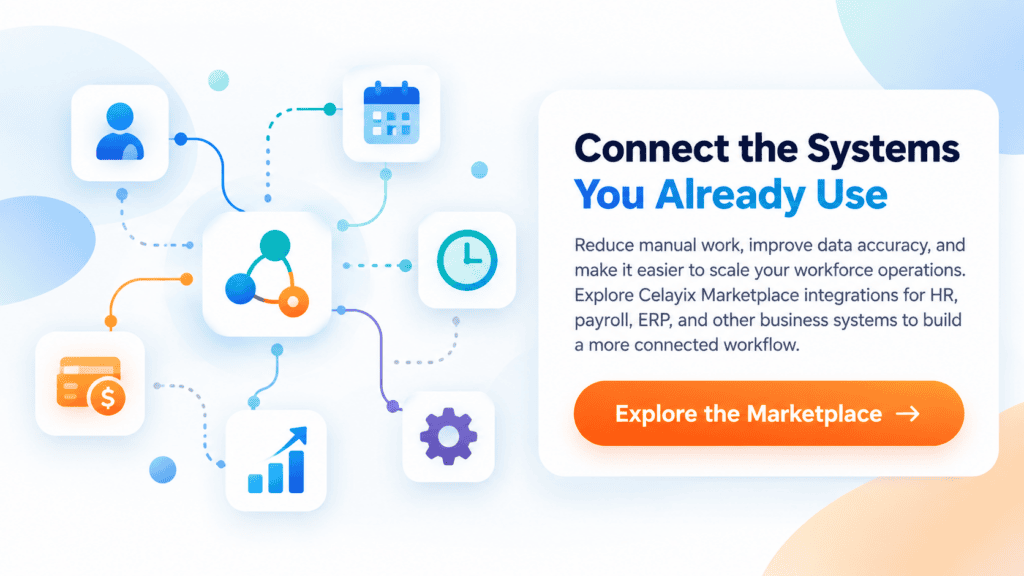
Connect the Systems You Already Use
HR and payroll system connectors may sound like an IT concern, but their impact reaches well beyond the technology department.
Every time an employee record must be entered twice, a spreadsheet must be reformatted, or worked hours must be manually transferred into payroll, an administrative process is created.
Connectors can remove many of those handoffs.
By linking HR, employee scheduling, time and attendance, and payroll, organizations can build a more continuous workflow from hiring through to payday.
The goal isn’t integration for integration’s sake.
It’s about getting accurate workforce information where it needs to go, with fewer repetitive steps in the way.