
Managing today’s workforce is more complex than ever. Hybrid work, multiple job sites, evolving labor regulations, and rising payroll costs have made accurate workforce management a business priority rather than an administrative task.
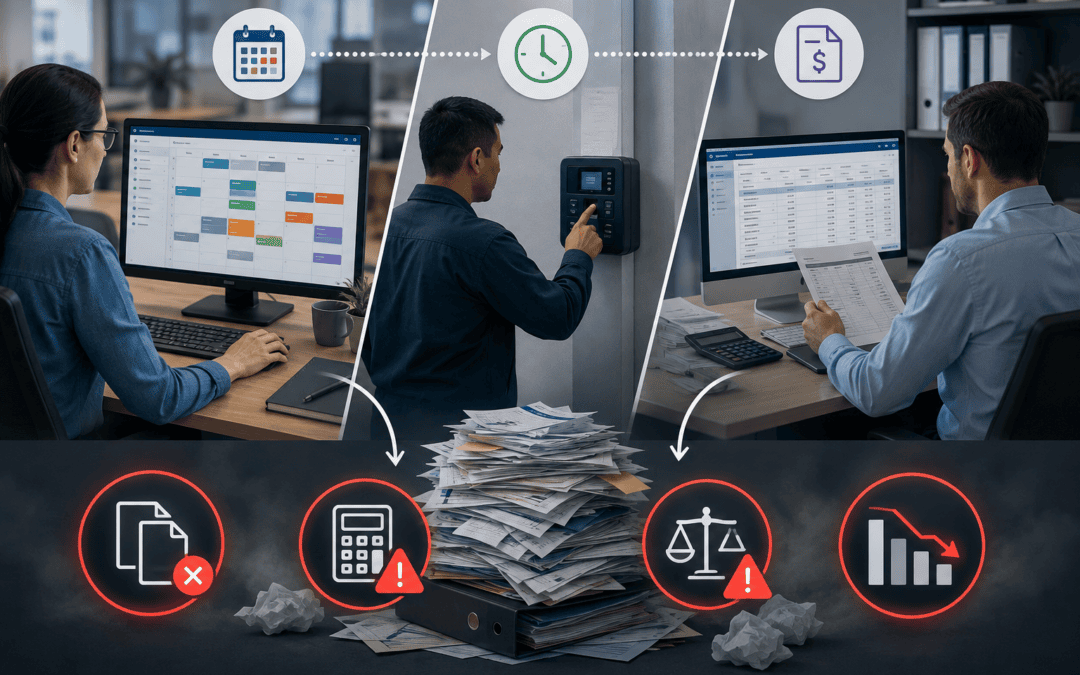
Yet many mid-sized organizations still rely on disconnected scheduling software, attendance systems, and payroll processes. Managers create schedules in one application, employees clock in using another, and payroll teams manually transfer hours into payroll software.
The result is duplicate work, payroll errors, compliance risks, and limited visibility into labor costs.
Integrating scheduling software with time and attendance management eliminates these challenges by connecting workforce data across your organization. When schedules, attendance records, and payroll work together, businesses spend less time correcting errors and more time managing their workforce strategically.
What Is Scheduling and Attendance Integration?
Scheduling and attendance integration connects employee scheduling software to time and attendance systems, ensuring information flows automatically between them.
Instead of maintaining separate records, organizations create employee schedules once. Employees clock in and out through the attendance system, which automatically compares actual worked hours against scheduled shifts. Approved hours then flow directly into payroll.
This creates a single, reliable source of workforce data that improves operational efficiency while reducing administrative work.
Why Integration Matters More in 2026
Today’s workforce presents new challenges for employers:
- Employees work across multiple locations and shifts.
- Labor costs continue to increase.
- Compliance requirements are becoming more complex.
- Organizations expect real-time workforce visibility.
- Payroll teams need faster and more accurate processing.
Disconnected systems make it difficult to respond to these demands. Integration helps organizations automate routine processes while giving managers better insight into workforce performance.
The Challenges of Separate Scheduling and Attendance Systems
Many organizations continue using standalone scheduling and attendance applications without realizing the hidden costs.
Manual Data Entry
When schedules and attendance records aren’t connected, managers often enter the same information multiple times. Payroll administrators may also spend hours exporting, cleaning, and importing employee hours.
This repetitive work increases administrative costs and introduces opportunities for human error.
Payroll Errors
Incorrect employee hours can quickly lead to:
- Overpayments
- Underpayments
- Incorrect overtime calculations
- Missed shift premiums
- Payroll adjustments after processing
Even small inaccuracies can affect employee trust and create additional work for payroll teams.
Compliance Risks
Tracking labor law requirements manually becomes increasingly difficult as organizations grow.
Disconnected systems make it harder to monitor:
- Overtime thresholds
- Meal and rest breaks
- Attendance exceptions
- Accurate time records
- Audit documentation
An integrated system helps maintain consistent records while supporting compliance with applicable labor regulations.
Limited Workforce Visibility
Managers need to understand what is happening across their workforce in real time.
Without integration, it becomes difficult to answer questions such as:
- Which locations are understaffed?
- Who is approaching overtime?
- Which employees have attendance issues?
- How closely do actual hours match scheduled hours?
Research shows that nearly one-third of organizations still cannot consistently use workforce data across systems because integration remains manual or ad hoc. As a result, leaders often lack the reliable, connected data needed to make timely, evidence-based workforce decisions.
Integrated systems provide these insights automatically.
Benefits of Integrating Scheduling Software with Time and Attendance Management
Improve Payroll Accuracy
One of the biggest advantages of integration is reducing payroll mistakes.
Instead of manually entering employee hours, approved attendance records transfer directly into payroll. This minimizes transcription errors and reduces the need for payroll corrections.
Accurate payroll also improves employee confidence and reduces administrative workload.
Reduce Administrative Work
Automation eliminates repetitive tasks across scheduling, attendance tracking, and payroll preparation.
Managers spend less time:
- Correcting timecards
- Entering duplicate information
- Resolving payroll discrepancies
- Managing spreadsheets
Payroll teams can process pay periods more efficiently with fewer manual interventions.
Increase Schedule Accuracy
Comparing scheduled hours with actual worked hours helps managers identify patterns such as:
- Late arrivals
- Early departures
- Frequent overtime
- Understaffing
- Shift coverage issues
These insights support better scheduling decisions over time.
Strengthen Compliance
Integrated workforce management systems help organizations enforce labor policies more consistently by:
- Tracking overtime automatically
- Monitoring break compliance
- Recording attendance accurately
- Maintaining detailed audit trails
Automated reporting also simplifies internal reviews and external audits.
Improve Workforce Management
Perhaps the greatest benefit is gaining real-time visibility into workforce operations.
Managers can quickly identify staffing gaps, balance workloads, reduce unnecessary overtime, and make informed scheduling decisions using current attendance data.
Key Features to Look for in an Integrated Solution
Not every workforce management platform offers the same capabilities. When evaluating solutions, look for features such as:
Real-Time Data Synchronization
Employee schedules, attendance records, and payroll information should update automatically without manual exports or imports.
Mobile Scheduling and Time Tracking
Employees increasingly expect to:
- View schedules
- Receive shift notifications
- Clock in and out
- Request schedule changes
- Submit availability
from their mobile devices.
Payroll Integration
Choose software that integrates with your payroll platform to reduce duplicate work and improve payroll accuracy.
Overtime Monitoring
Managers should receive alerts before employees exceed overtime thresholds, allowing proactive scheduling adjustments.
Employee Self-Service
Self-service capabilities reduce administrative requests while giving employees greater visibility into their schedules and time records.
Reporting and Analytics
Look for dashboards that provide insight into:
- Labor costs
- Attendance trends
- Schedule adherence
- Overtime
- Absenteeism
- Workforce productivity
Flexible Integrations
Solutions with APIs and pre-built integrations make it easier to connect scheduling, payroll, HR, and other business systems.

How Scheduling and Attendance Integration Works
A typical integrated workflow follows five simple steps.
1. Build Employee Schedules
Managers create schedules based on staffing requirements, employee availability, qualifications, and labor budgets.
2. Employees Clock In and Out
Employees record their work hours using approved methods such as:
- Mobile apps
- Web-based time clocks
- Physical kiosks
- Biometric devices (where appropriate)
- Geofenced mobile clocks
3. Attendance Data Syncs Automatically
The system compares scheduled shifts with actual worked hours and automatically flags exceptions such as missed punches, tardiness, or unauthorized overtime.
4. Managers Review Exceptions
Instead of reviewing every timecard, supervisors only need to resolve flagged issues before approving employee hours.
5. Approved Hours Transfer to Payroll
Once approved, employee hours are sent directly to payroll, reducing manual processing while improving accuracy.
Best Practices for Successful Integration
Successful implementation involves more than connecting two applications.
Standardize Employee Data
Ensure employee IDs, departments, locations, and job roles remain consistent across systems.
Clean Existing Data
Remove duplicate employee records and correct outdated attendance information before implementation.
Define Approval Workflows
Establish clear processes for reviewing exceptions, approving timecards, and managing overtime.
Train Managers and Employees
User adoption is critical. Provide training on scheduling, attendance tracking, approvals, and employee self-service tools.
Monitor Performance
Review reports after implementation to identify workflow improvements and ensure data accuracy.
Common Integration Mistakes to Avoid
Organizations often encounter avoidable challenges during implementation.
Common mistakes include:
- Continuing manual payroll processes after integration
- Ignoring inaccurate employee data
- Skipping payroll testing
- Failing to define approval responsibilities
- Providing insufficient user training
- Overlooking reporting and analytics capabilities
Avoiding these issues helps maximize the return on your technology investment.
Why Mid-Sized Organizations Benefit the Most
Mid-sized organizations often experience the greatest return from integrated workforce management because they have outgrown manual processes but may not have large HR or payroll teams.
Integration allows them to:
- Scale operations without adding administrative staff
- Support multiple locations more efficiently
- Improve payroll accuracy
- Gain visibility into labor costs
- Respond faster to staffing changes
- Enhance employee satisfaction through self-service tools
Rather than spending time managing spreadsheets and correcting payroll errors, managers can focus on strategic workforce planning.
Choosing the Right Scheduling and Attendance Solution
When evaluating workforce management software, consider the following questions:
- Does it integrate with your existing payroll system?
- Can it scale as your organization grows?
- Does it offer mobile scheduling and attendance tracking?
- How does it support labor compliance?
- Are reporting and analytics built in?
- Does it provide employee self-service?
- What implementation and customer support services are available?
Selecting a platform that combines scheduling, attendance, and payroll integration can simplify operations while supporting long-term growth.
Manage Your Workforce More Accurately and Efficiently
As workforce management becomes increasingly data-driven, disconnected scheduling and attendance systems create unnecessary complexity, administrative work, and payroll risk.
Integrating time and attendance management with scheduling software gives organizations a more accurate, efficient, and scalable way to manage their workforce. From improving payroll accuracy and strengthening compliance to providing real-time workforce insights, an integrated solution helps managers make better decisions while reducing manual effort.
For mid-sized organizations looking to improve operational efficiency in 2026, integrating scheduling, attendance, and payroll isn’t simply a technology upgrade; it’s a strategic investment in better workforce management.

Frequently Asked Questions
How does time and attendance management improve payroll accuracy?
Integrated time and attendance management automatically transfers approved employee hours to payroll, reducing manual data entry and minimizing payroll errors.
What is the difference between scheduling software and attendance systems?
Scheduling software creates employee work schedules, while attendance systems record when employees actually work. Integration connects these systems to provide a complete picture of scheduled versus actual hours.
Can scheduling software integrate with payroll systems?
Yes. Many modern workforce management platforms integrate with payroll software, allowing approved hours to flow directly into payroll processing.
What should mid-sized businesses look for in an integrated workforce management solution?
Look for real-time synchronization, payroll integration, mobile access, compliance tools, reporting capabilities, employee self-service, and scalable integration options.
How long does it take to implement scheduling and attendance integration?
Implementation timelines vary depending on organizational size, existing systems, and data quality. Many organizations can complete implementation in a matter of weeks, while more complex environments may require additional planning and testing.