
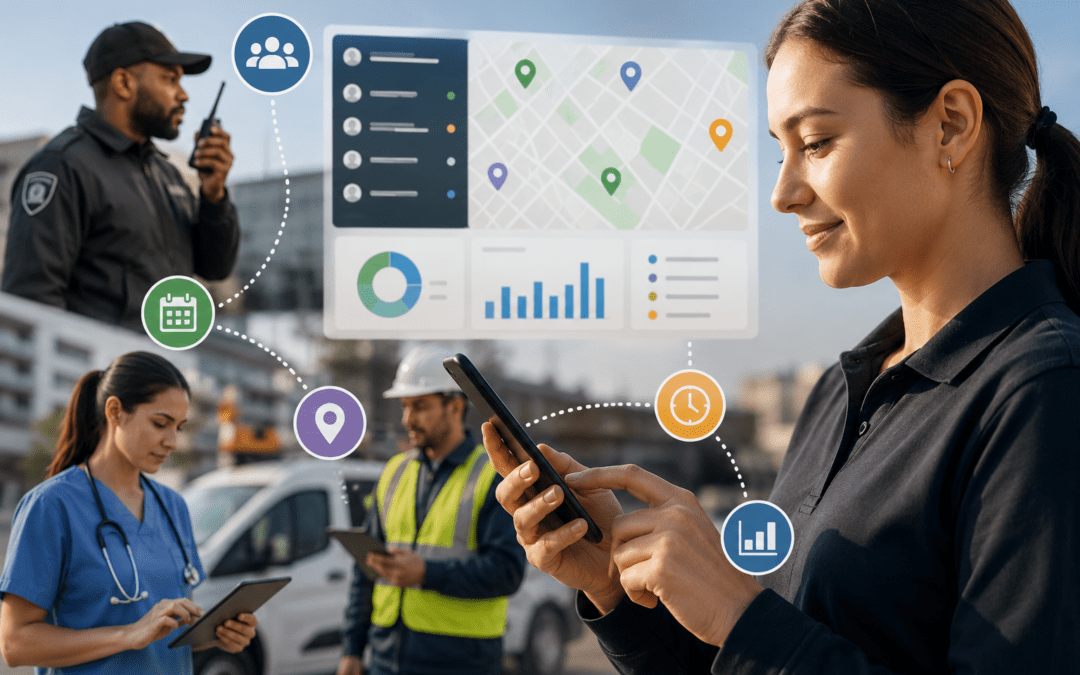
Mobile workforce management is how organizations schedule, verify, reach, and pay employees who work away from a single base. For shift-based teams like security officers, home care workers, and event staff, that comes down to four jobs. Build schedules that survive a callout, confirm people are on site when they clock in, reach employees on the phone they already carry, and turn punches into accurate payroll across every site.
Most of the difficulty lives between sites: unpaid travel time that should have been paid, clock-ins from places with no signal, employees working alone, and open shifts that appear at 2 a.m. This guide covers how to handle each one and what to look for in mobile workforce management software.
What is Mobile Workforce Management?
Mobile workforce management is the process of scheduling, verifying, communicating with, and paying employees who don’t work from one fixed location. In practice, it has to answer four questions at any moment: who is scheduled, where they should be, whether they showed up, and what they should be paid.
Mobile shift workers include:
- Security officers covering several client sites
- Home care workers visiting clients in their homes
- Event and venue staff moving between venues and events
- Float staff covering several long-term care homes or units
- Cleaning, facilities, and maintenance crews on site rotations
- Transportation and utility crews
The common thread: managers can’t see their people, and their people can’t walk down the hall to check the schedule. Mobile workforce management exists to close that gap.
Mobile Workforce Management vs. Field Service Management
The two terms overlap, and many guides use them interchangeably. The practical difference is what defines the work: a shift or a job.
| Shift-based mobile workforce management | Field service management (FSM) | |
| What defines the work | A shift or scheduled visit at a location | A job or work order |
| Typical roles | Security officers, home care workers, event staff | HVAC, telecom, and appliance technicians |
| Core planning problem | Coverage: every post or visit staffed by a qualified person | Routing: the right technician, parts, and route for each job |
| What managers track | Attendance, hours, overtime, certifications, breaks | Job status, parts used, completion, customer sign-off |
| How the work is billed | Usually by the hour, often to a client contract | Usually per job, plus parts |
| What breaks the day | A callout or no-show that leaves a post uncovered | A job that overruns and delays the rest of the route |
If your operation runs on shifts, you need scheduling, time and attendance, and an employee app built around coverage. Dispatch and routing software solves a different problem, and buying it for a shift operation leaves the hardest parts unsolved.
What to Look for in Mobile Workforce Management Software
Most mobile workforce management platforms list the same features. The difference for mobile teams is in how those features behave when nobody is at a desk. Use the questions below in vendor demos.
| Capability | Why it matters for mobile teams | Ask the vendor |
| Rules-based scheduling | Each site has its own qualifications, overtime limits, and union rules | Does it block an assignment that breaks a rule, or only warn? |
| Replacement finding | Callouts happen off-hours, when no scheduler is in the office | How fast can a supervisor fill a dropped shift from a phone? |
| Employee app with open shifts | Mobile workers never sit at a desk to check a schedule | Do employees see only the open shifts they’re qualified for? |
| Location-verified clock-in | Proves presence without tracking people all shift | When exactly is location captured, and who can see it? |
| Backup punch methods | Signal drops, and not everyone uses a smartphone | What happens when the app can’t connect? |
| Messaging and confirmations | A change nobody reads is a missed shift | Can managers see that a schedule change was acknowledged? |
| Payroll and billing integration | Hours must reach both paychecks and client invoices | Does site-to-site travel time get captured? |
| Cost reporting by site | Overtime and callouts cluster at specific sites and shifts | Can you see labor cost by site before the schedule is final? |
In Celayix, most of these live in shift scheduling, time and attendance, and the Celayix Employee App, which handles open shifts, shift bidding, confirmations, messaging, and mobile clock-in.
Why mobile workforce scheduling is harder than it looks
Every scheduling problem gets harder when the team is spread across sites. Six problems, though, are specific to mobile work.
Travel between sites is often paid time.

In the US, time spent traveling from one job site to another during the workday counts as hours worked under federal law (29 CFR 785.38). Normal commuting from home does not. Because site-to-site travel is hours worked, it also counts toward overtime.
A security officer covering two client sites in one shift, or a home care worker with four visits in a day, can cross into overtime without anyone noticing. That happens when the system sees only punches at each site, not the time between them. Provincial and state rules vary, so check the standard where your employees work.
Verifying location without overreaching
GPS and geofencing confirm that an employee is on site when they clock in, which makes buddy punching and timesheet fraud much harder. They also raise fair privacy questions, especially on personal phones.
In Ontario, employers with 25 or more employees on January 1 must have a written policy on electronic monitoring. It must explain how, when, and why employees are monitored, and it must cover monitoring on employees’ own devices and away from the workplace (Ontario ESA guide). The practical answer is to capture location only when you need it and to say so plainly. Celayix geofencing, for example, checks location at clock-in and clock-out only.
Weak signal and personal phones
Mobile workers clock in from parking garages, basements, rural roads, and packed venues where coverage drops. Some don’t have a smartphone, or don’t want work apps on their personal one. Decide in advance what happens in both cases, such as a site kiosk or a supervisor-entered punch with an audit note, so a missed clock-in doesn’t become a payroll dispute.
Employees working alone
Security officers on overnight posts and home care workers in clients’ homes often work with no one nearby. In British Columbia, the OHS Regulation requires employers to set up check-in procedures for anyone assigned to work alone or in isolation (WorkSafeBC OHS Regulation, Part 4). The procedure needs a set interval between check-ins, a written record, and a plan for a missed check-in (BC government guidance).
Callouts with no manager on site
When someone calls in sick at 2 a.m., the replacement has to be qualified for that site, available, nearby, and not about to hit overtime. Working through a call list by phone is slow. The person who finally says yes may also be the one who pushes the week into overtime. For a step-by-step approach, see shift coverage: a guide for managers.
Requirements that change with the site
Each client site can carry its own requirements: a guard license, a site orientation, a background check, a union rule. Those requirements also change over time; for example, California’s SB 1203 raises security guard training hours starting in 2029. Schedules must check qualifications against each site, not just each employee.
Here’s a typical example. At 2:07 a.m., an officer scheduled for a 6 a.m. post at a distribution center texts that she’s sick. The post requires a site orientation, and the client is billed by the hour.
A 2 a.m. Callout, Two ways

Without a connected system. The night supervisor opens a spreadsheet and scrolls for anyone who has worked that site. The first two people don’t answer. The third says yes, but nobody notices he’s already at 38 hours for the week. The shift turns into overtime the client contract doesn’t cover, and payroll finds out ten days later.
With scheduling, time, and the app connected. The supervisor opens the dropped shift and runs Find Replacement, which lists officers who are available and qualified for that site. The rules engine checks overtime before assigning anyone. The request goes out through the app, the replacement accepts on his phone, and he clocks in at the site with his location captured at that moment. His hours flow into payroll and billing reports without re-entry.
The same sequence can also run without a supervisor starting it. With Celayix’s Automated Workforce Engine, a shift drop triggers the workflow. You choose whether it only notifies a supervisor, waits for approval, or completes the reassignment on its own.
Best Practices for Managing a Mobile Shift Workforce
Software helps, but a handful of policies drive most mobile workforce problems. These are the ones worth writing down.
- Record each site’s requirements in the system, not in a supervisor’s head. List the licenses, orientations, client rules, and staffing minimums per site so scheduling can check them automatically.
- Pay for travel between sites, and capture it. Schedule site-to-site travel as working time, or make sure the gap between punches is recorded. Review it weekly alongside overtime.
- Publish your location policy. Tell employees what location data you collect, when, and why. In Ontario, this is required for employers with 25 or more employees; everywhere else, it builds trust.
- Set a callout playbook. Decide in advance who gets offered a dropped shift first: qualified, available, not near overtime, and next in a fair rotation. Our guide on distributing overtime fairly covers the rotation part.
- Build check-ins into lone-worker shifts. Set the interval by risk, record every check-in, and agree on what happens when one is missed.
- Let employees handle the routine themselves. Availability, time-off requests, and open-shift pickup through the app cut the phone calls that eat a supervisor’s day.
- Review cost by site every week. Overtime, callouts, and unfilled hours tend to cluster at the same sites and shifts. Fix the pattern, not the individual shift. The ROI calculator shows what that’s worth at your scale.
Where AI Fits Today
AI is most useful in mobile workforce management when it sits on top of your rules, not in place of them. Overtime caps, qualifications, and union rules should stay deterministic. Within those limits, AI does three jobs well.
- Answering questions in plain language. A manager can ask which sites have open shifts tonight, or who is close to overtime this week, instead of building a report. Celayix AI Connect links Celayix to AI assistants such as Claude through the Model Context Protocol, with existing permissions and rules carried over (how to connect it in Claude).
- Running routine fixes. Workflows can respond to shift drops, missed clock-ins, and qualification issues as they happen. Start in notification mode, move to approval once you trust the results, and allow full autonomy only where the rules are clear.
- Summarizing and drafting. AI steps inside a workflow can summarize a situation for a supervisor or draft the message to an employee, so nobody writes the same text at 2 a.m.
One test applies to every AI feature: can you see what it did and why? If not, keep it in notification mode until you can.
Discover the Celayix Employee App [Infosheet]

Frequently Asked Questions
What is mobile workforce management?
Mobile workforce management is the process of scheduling, verifying, communicating with, and paying employees who work across multiple locations instead of one fixed site. Common examples are security officers, home care workers, and event staff.
What is mobile workforce scheduling?
Mobile workforce scheduling is the part of mobile workforce management that assigns shifts across sites. It matches each shift to someone qualified, available, and within overtime and union rules, and it decides how open shifts and callouts get filled.
What is the difference between mobile workforce management and field service management?
Shift-based mobile workforce management is organized around shifts at locations and focuses on coverage, attendance, and hours. Field service management is organized around jobs and work orders and focuses on dispatching, routing, and parts.
Is travel time between job sites paid?
In the US, yes. Federal rules count travel from one job site to another during the workday as hours worked, while normal commuting from home is not. Provincial and state rules vary, so check the standard in your employees’ jurisdiction.
Can employers use GPS to verify where employees clock in?
Generally yes, but notice and policy rules vary by jurisdiction. In Ontario, employers with 25 or more employees must have a written electronic monitoring policy that covers personal devices. Capturing location only at clock-in and clock-out limits the privacy impact.
How do you fill a last-minute callout quickly?
Keep site requirements in your scheduling system, then use a replacement tool that lists only qualified, available employees and checks overtime first. Send the offer through an employee app instead of calling down a list.
What features matter most in mobile workforce management software?
Rules-based scheduling, fast replacement finding, an employee app with open shifts and messaging, location-verified clock-in with a backup method, and payroll and billing integration.
Every shift covered, wherever it is
Mobile workforce management works when the schedule, the clock-in, and the employee’s phone all run on the same rules. Celayix has built shift management for complex, multi-site operations in security, home care, and events for more than 25 years.
Book a meeting and bring one site and your hardest scheduling rule. We’ll show you how Celayix handles both.


