As organizations grow, employee scheduling becomes more than who works when.
It also becomes a question of who should see what and who should be allowed to change it.
For a small business with one location and a handful of employees, standard administrator, manager, and employee roles may be enough. But that model breaks down for organizations managing hundreds of employees, multiple branches, client locations, payroll data, and different layers of supervision.
A regional supervisor might need to schedule employees across five sites without seeing payroll. A payroll coordinator may need access to timesheets across the organization without permission to edit employee records. A venue manager may need control over shift requests at one location but not elsewhere.
Giving all of those people the same generic “manager” permissions creates unnecessary risk.
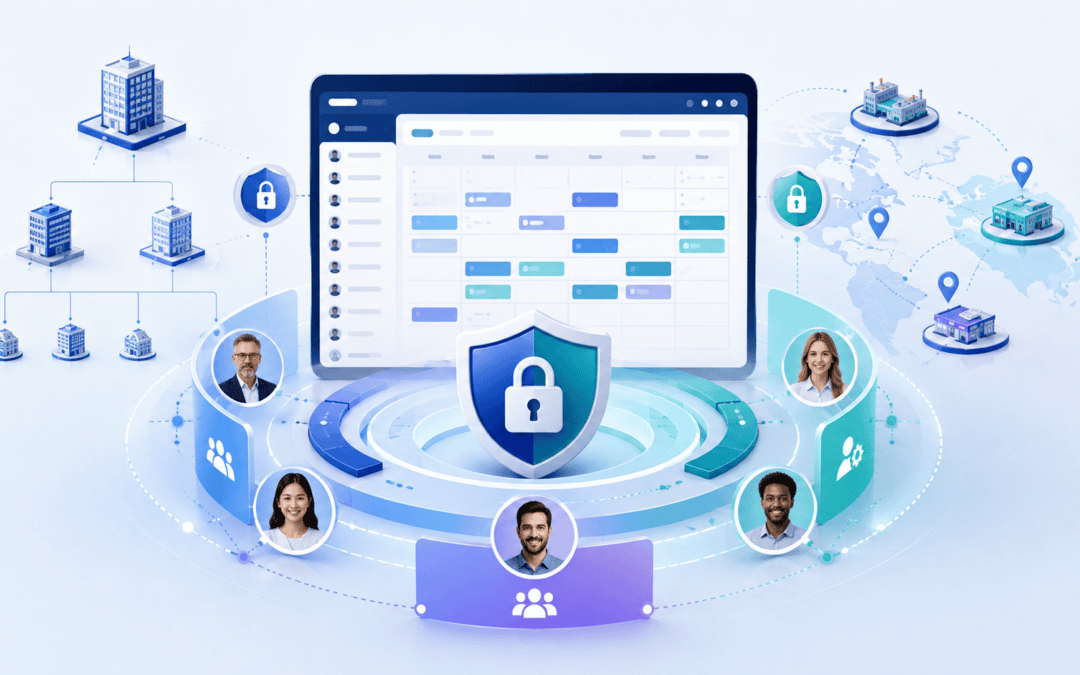
That is why Celayix uses layered access controls that let organizations separately determine what administrators can see, what they can do, and what employees can access through the Team Xpress app.
The approach aligns with the widely recognized security principle of least privilege: users should receive only the access necessary to perform their assigned work.
Why Standard Scheduling Permissions Can Fall Short
Many workforce scheduling systems are built around a small number of predefined roles.
You might have an administrator, a manager, and an employee. Once someone becomes a manager, they inherit whatever permissions the software vendor has attached to that role.
That can work well for simple organizations.
It becomes considerably harder in industries such as:
- Security, where supervisors may oversee different client sites and groups of officers
- Healthcare and home care, where employee and client information needs to be carefully controlled
- Hospitality and events, where individual venues may have their own management teams
- Multi-location businesses with regional, branch or departmental management structures
In these environments, job title alone does not determine appropriate access.
Two people who are both called “manager” may require completely different visibility and permissions.
Celayix addresses that challenge through four distinct layers of control.
1. Full Admins and Managers
Within Celayix Schedule Xpress, administrative users can be configured as Full Admins or Managers.
Full Admins have unrestricted administrative access.
Managers, by contrast, can have their access shaped through Celayix security groups. Celayix administrators can control both the records a manager can see and the features available to that person.
This makes it possible to create administrative access around actual responsibilities rather than forcing every supervisor into the same predefined role.
Instead of asking:
“Is this person a manager?”
You can ask:
“Which information does this person need, and which actions should they be allowed to perform?”
That distinction becomes important as organizations scale.
2. Record Access Groups: Control What Managers Can See
Celayix Record Access Groups determine the organizational records available to managers.
Administrators can restrict visibility according to factors such as:
Companies and branches. Managers can be limited to the appropriate part of the organization.
Sites. A manager can receive access to all sites within their scope or only explicitly selected locations.
Employees. Access can also be limited to particular employees rather than exposing the entire workforce.
Celayix’s Record Access Group functionality is designed so that sites or employees outside a manager’s permitted scope do not appear to that user.
Consider a security company operating across several regions.
A supervisor responsible for one region could have access to the relevant client sites and security officers, while another supervisor could oversee an entirely different region. Both can work within the same scheduling platform without automatically receiving organization-wide visibility.
That makes the system easier to manage while reducing unnecessary exposure of employee and operational information.
3. Feature Access Groups: Control What Managers Can Do
Seeing a record is one thing.
Being able to change it is another.
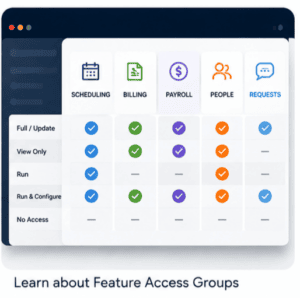
Celayix Feature Access Groups control which parts of Schedule Xpress a manager can use.
Permissions can be configured across areas including:
- Scheduling
- Billing
- Payroll
- People management
- Site management
- Service management
- Requests such as time-off requests and shift drops
Celayix also supports different levels of access for each feature, rather than treating every permission as a simple yes-or-no setting. Feature Access Groups can therefore distinguish between someone who needs to view information and someone who needs authority to modify or operate on it.
This separation creates useful combinations.
A payroll coordinator, for example, might need broad access to payroll and timesheet functions without being permitted to modify employee records.
A regional scheduler might need full scheduling capabilities within their region but no access to billing.
Celayix can even control access to analytics and distinguish among data categories such as employee, payroll, billing, attendance, and profitability.
The result is a permission model based on actual responsibilities rather than broad job titles.
4. Employee Access Groups: Control the Team Xpress Experience
Access control is not limited to managers.
Celayix Employee Access Groups determine what different employee groups can see and do in the Team Xpress app.
Organizations can configure areas such as:
Records and visibility
Control which customers, sites, services, and availability types employees can see, as well as which personal contact information they can edit.
Shift actions
Determine whether employees can perform activities such as confirming shifts, submitting shift-drop requests, completing shift tasks, or working with notes and attachments.
Employee self-service
Organizations can choose which groups receive access to capabilities such as:
- Self-scheduling
- Shift bidding
- Availability
- Time-off requests
- Timesheets
- Time cards
- Chat
For example, Celayix self-scheduling can be enabled specifically for the Employee Access Groups that should be allowed to view and request eligible open shifts.
Check-in and check-out
Access Groups can also define advanced time-and-attendance behavior, including unscheduled check-ins, check-in/out settings, safety checks, and break recording.
This means two groups of employees using the same workforce management system don’t necessarily need the same app experience.
Access Controls and Scheduling Rules Work Together
Permissions answer the question:
“Is this person allowed to perform this action?”
But workforce scheduling also requires another type of protection:
“Should this assignment be allowed in the first place?”
Celayix supports scheduling restrictions at the site and employee levels, helping organizations enforce eligibility and assignment rules as schedules are created.
For example, an employee may be restricted from working at a particular site.
Rather than relying entirely on the scheduler to remember that restriction while managing dozens or hundreds of shifts, scheduling rules can help prevent inappropriate assignments.
That combination—access permissions plus operational guardrails—is particularly valuable in complex environments.
What Granular Scheduling Permissions Look Like in Practice
The value becomes clearer when access is mapped to real jobs.
Security: Regional Field Supervisor
A regional supervisor can see only the client sites and officers within their area.
They can build and publish schedules for those locations but do not require access to company-wide billing or payroll information.
The supervisor gets the capabilities needed to operate their region without automatically gaining visibility into unrelated parts of the company.
Healthcare: Payroll Coordinator
A payroll coordinator may need to review timesheets and run payroll across several branches.
They can receive the appropriate payroll access while maintaining more limited scheduling permissions and no authority to change unrelated employee information.
Hospitality and Events: Venue Lead
A venue lead may be responsible for shift confirmations, employee requests, and shift drops at a single venue.
Employees assigned to that group can also be given self-scheduling or shift-bidding capabilities appropriate to their location.
The organization can provide local autonomy without giving each venue manager organization-wide administrative access.
Why Granular Scheduling Access Matters
Protect sensitive information
Not every manager needs to see pay information, employee details, billing data, or every site in the organization.
Restricting access to what a role needs reduces unnecessary exposure.
This follows the principle of least privilege and is a fundamental access-control practice.
Support multi-site operations
Organizations don’t have to run separate scheduling systems just because different branches, sites, or supervisors need different access levels.
Instead, map permissions to the company’s operational structure.
Make responsibilities clearer
Named access groups make it easier to establish repeatable permission models.
When a new regional supervisor, payroll administrator, or venue manager joins, organizations can grant that person access based on the role’s responsibilities rather than rebuilding permissions from scratch.
Make access easier to review
Explicit access groups also give organizations a clearer way to review which users have which capabilities.
The National Institute of Standards and Technology guidance on least privilege specifically recommends reviewing privileges assigned to roles or classes of users and removing or changing privileges when they are no longer required.
Give employees the right amount of self-service
Granular employee permissions allow organizations to introduce self-service without making every capability universally available.
One employee group might be able to bid on open shifts and submit availability, while another follows a more controlled scheduling process.
The underlying platform remains the same.
Scheduling Software Should Fit Your Organization, Not the Other Way Around
As workforce operations become more complex, a handful of predefined user roles may no longer be enough.
Organizations need to distinguish between:
- What managers can see
- What managers can change
- Which sites and employees fall within their responsibility
- Which workforce functions they can operate
- What employees can see and do themselves
- Which scheduling rules must be enforced regardless of permissions
Celayix brings those controls together through Full Admin and Manager accounts, Record Access Groups, Feature Access Groups, and Employee Access Groups.
The result is a workforce scheduling environment that reflects how a complex organization actually operates.
Instead of giving every manager the same access, you can give each person the access their job requires—and nothing they do not need.
Want to see what that looks like with your own organizational structure? Book a Celayix meeting and map your managers, supervisors, payroll teams, and employees to the appropriate access groups.