
Choosing employee scheduling software used to mean finding a better way to build and distribute shifts.
In 2026, the decision is much bigger.
For organizations with hundreds or thousands of shift workers, scheduling sits at the center of workforce operations. A single assignment can affect labor costs, overtime, compliance, payroll, client coverage, employee satisfaction, and service delivery.
That means the best scheduling platform is not necessarily the one with the longest feature list. It is the one that can handle the way your organization operates.
This is particularly important for mid-sized and enterprise service businesses. Security companies may need to match guards to sites based on qualifications while staying within contracted hours. Healthcare organizations may need to account for credentials, patient requirements, attendance, and last-minute coverage. Hospitality and event businesses may need to scale staffing up and down rapidly as demand changes.
Generic scheduling tools can work well for straightforward operations. But as the number of employees, locations, rules, qualifications, and integrations grows, so does the need for more sophisticated workforce management.
Before choosing employee scheduling software, evaluate these seven areas.
1. Start with the Complexity of Your Scheduling Environment
Before comparing vendors, document what makes scheduling your operation difficult.
Employee count is part of the equation, but it is not the only measure of scheduling complexity.
Consider questions such as:
- How many locations, customer sites, departments, or services do you schedule?
- Do employees need specific qualifications, certifications, licenses, or training?
- Do different locations have different staffing requirements?
- Do employees work across multiple sites or departments?
- How frequently do sick calls, no-shows, and other last-minute changes occur?
- Are there union rules, seniority requirements, fatigue rules, or contractual obligations?
- Does your organization have seasonal or highly variable staffing demand?
- Do supervisors need to control overtime or other labor costs while filling shifts?
A 300-person workforce with complex site requirements can be more difficult to schedule than a 3,000-person workforce with predictable shifts.
This is why mid-sized service business scheduling often outgrows spreadsheets and basic scheduling applications. Complexity comes from the number of decisions that must be made for every shift—not simply the number of employees.
Industry fit matters for the same reason.
For example, shift scheduling for security and healthcare can involve much more than employee availability. Security providers may need to confirm that a guard has the right qualifications for a client site, remains within contracted hours, and physically arrives at the correct location. Healthcare organizations may need to consider caregiver or nurse qualifications, continuity of care, patient requirements, licenses, and attendance verification.
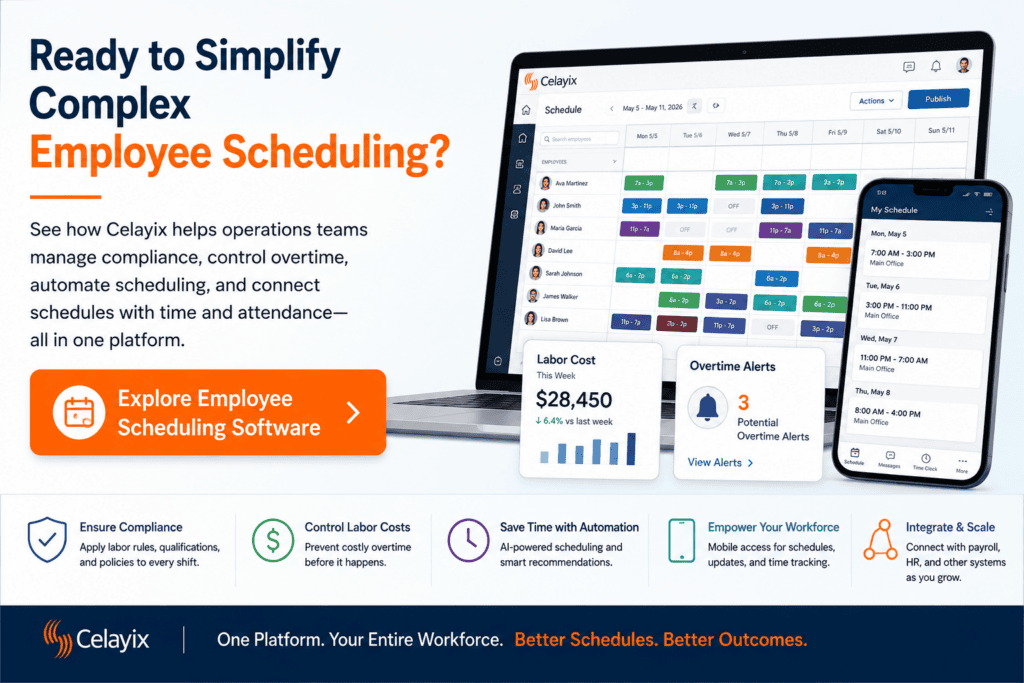
Celayix is designed for these kinds of complex, compliance-heavy shift environments, with industry-specific workflows for areas such as security, home healthcare, long-term care, hospitality, events, and manufacturing.
What to ask during a demo: Give the vendor one of your hardest real scheduling scenarios. Ask them to show exactly how the system would solve it.
2. Make Compliance Part of the Scheduling Process
Compliance problems are easier to prevent before a shift is assigned than to identify after employees have already worked it.
Depending on your organization and jurisdiction, schedulers may need to consider overtime thresholds, breaks, employee classifications, union agreements, qualifications, certifications, fatigue policies, site restrictions, maximum working hours, and other rules.
In the United States, for example, the Fair Labor Standards Act generally requires covered, nonexempt employees to receive overtime pay for hours worked over 40 in a workweek. State laws can impose additional requirements, and different rules may apply to particular industries and employee groups.
That makes compliance and labor law management an important part of evaluating scheduling technology.
Look for a platform that can translate your organization’s requirements into scheduling rules. Instead of depending on a scheduler to remember every restriction, the software should be able to identify or prevent assignments that conflict with established policies.
Celayix’s scheduling rules can account for requirements such as qualifications, union rules, overtime, site restrictions, and double-booking. Administrators can also configure how particular restrictions and overrides are handled.
The distinction to look for is prevention versus reporting.
A report showing that an employee violated a scheduling rule last month has value. A system that identifies the issue before the employee is assigned to it has greater operational value.
Scheduling software does not replace legal advice, and organizations remain responsible for understanding the laws and agreements that apply to them. But good software should make established rules easier to apply consistently.
What to ask during a demo: Ask the vendor to create an assignment that violates one of your rules deliberately. See what happens.
3. Connect Scheduling with Time and Attendance
A schedule shows what was supposed to happen.
Time and attendance shows what actually happened.
Those two sides of workforce management should not operate in isolation.
Without a strong time-tracking integration, organizations may end up manually transferring information across scheduling, timekeeping, payroll, billing, and reporting systems. That creates additional opportunities for missed punches, incorrect hours, payroll discrepancies, and administrative rework.
Accurate time records matter from a compliance perspective as well. The U.S. Department of Labor states that employers covered by the FLSA must maintain certain records for covered, non-exempt employees, including hours worked each day and total hours worked each workweek.
When evaluating scheduling software, follow the workflow beyond the published schedule.
Ask:
- How do employees clock in and out?
- Can attendance be matched automatically against scheduled shifts?
- Can location be verified for mobile employees?
- How are missed punches or discrepancies handled?
- Can employees or supervisors review timecards?
- How are breaks recorded?
- Can approved hours flow into payroll?
- Can worked hours be associated with the correct customer, site, or billing code?
Celayix combines scheduling with time and attendance capabilities, including mobile check-in and check-out, geofencing, attendance matching, timesheets, timecards, reporting, and payroll integration.
Connecting planned schedules to actual attendance also gives operations teams better information. Instead of comparing separate spreadsheets or systems, they can see where attendance differed from the plan and resolve exceptions earlier.
For service organizations, the ideal workflow is not simply schedule → employee. It is:
Schedule → employee → attendance → approval → payroll or billing.
What to ask during a demo: Have the vendor walk through an entire shift from assignment to payroll-ready hours.
4. Control Overtime and Labor Costs Before the Shift Is Worked
Labor costs are heavily influenced by scheduling decisions.
Yet many organizations do not discover expensive scheduling decisions until after the work is complete.
Consider a scheduler trying to fill a last-minute opening. Several employees may be qualified and available, but one assignment could create six hours of overtime while another would not. Without visibility into projected hours and costs, the scheduler may choose the more expensive employee simply because that employee appears first.
Effective labor cost and overtime control should therefore happen while schedules are being built.
Look for software that can:
- Display projected employee hours.
- Apply your overtime rules.
- Warn schedulers before assignments generate unnecessary overtime.
- Consider labor cost when recommending employees.
- Identify qualified alternatives.
- Provide visibility across departments or sites when employees work in multiple places.
- Compare scheduled labor with actual hours worked.
Celayix uses scheduling rules and cost information to help organizations identify appropriate employees while avoiding unnecessary overtime. Its security workflows, for example, are designed to help providers maintain coverage while accounting for qualifications, availability, contracted hours, and overtime.
This matters particularly in contract services.
A security company can technically cover every client post and still erode its margin if too many of those hours are worked at overtime rates. The same problem can affect healthcare, hospitality, events, and other labor-intensive businesses.
The goal is not to eliminate all overtime. Sometimes overtime is necessary.
The goal is to make the cost visible before the assignment is finalized so managers can make an informed decision.
What to ask during a demo: Create an open shift where one qualified candidate would trigger overtime and another would not. See whether the system automatically identifies the difference.
5. Understand What the AI Actually Does
AI is now appearing on almost every workforce technology roadmap.
That makes it important to separate useful capabilities from an AI label.
For workforce scheduling, valuable AI should make complicated decisions easier without ignoring the organization’s operating rules.
Useful capabilities could include:
- Answering questions about current schedules in plain language.
- Finding potential replacements for open shifts.
- Identifying scheduling conflicts.
- Creating shifts from natural-language instructions.
- Highlighting overtime exposure.
- Surfacing qualification or compliance issues.
- Providing AI-powered shift recommendations based on live workforce information.
- Automating routine responses to scheduling exceptions.
But the most important question is not whether software contains AI.
It is what information and rules the AI uses when making a recommendation or taking an action.
An employee may technically be available but still be the wrong choice because of overtime, an expired qualification, approved time off, a site restriction, or another shift.
Celayix’s current AI capabilities include conversational access to scheduling information, schedule creation, replacement suggestions, and automation that works within configured workforce rules. Its Automated Workforce Engine can also support different levels of control—from notification and approval workflows to greater automation—depending on how an organization chooses to deploy it.
That last point matters.
Operations teams should retain appropriate visibility and control over AI-assisted decisions. The National Institute of Standards and Technology’s AI Risk Management Framework emphasizes managing AI risks and incorporating trustworthiness considerations into the design, deployment, and use of AI systems. NIST notes that the framework is being revised in 2026, reinforcing how quickly AI governance expectations continue to evolve.
When evaluating AI scheduling tools, ask whether recommendations can be reviewed, what rules constrain them, what information they use, and whether actions are auditable.
AI should help schedulers make better decisions faster. It should not turn workforce scheduling into a black box.
What to ask during a demo: Ask the AI to recommend a replacement for a complex shift, then have the vendor explain why that employee was recommended.
6. Make Sure Employees and Frontline Managers Will Use It
Managers are not the only users of scheduling software.
Employees may interact with the system every day, which makes frontline usability just as important as administrative functionality.
At a minimum, employees should be able to see accurate schedules without calling a supervisor or searching through messages. Depending on your workforce model, they may also need to:
- Submit availability.
- Request time off.
- Receive schedule-change notifications.
- Accept or acknowledge assignments.
- Pick up open shifts.
- Bid on shifts.
- Swap or drop shifts.
- Clock in and out.
- Review timesheets.
- Complete shift tasks.
Celayix’s employee scheduling app supports real-time access to schedules, availability, time-off requests, self-scheduling, shift bidding, communications, mobile time collection, geofencing, and related workforce functions.
This can also reduce the administrative work placed on supervisors.
If employees can submit availability digitally, schedulers do not have to track it through text messages and calls. If open shifts can be offered to qualified employees through an app, managers do not have to work through a call list every time someone calls in sick.
The same usability test should apply to frontline managers.
Can a supervisor quickly determine who is scheduled? Can they see whether an employee has checked in? Can they respond to a callout from a mobile device? Can they communicate an urgent schedule change without returning to a desktop computer?
During your selection process, include the people who will actually use the platform—not only executives, IT, or procurement.
What to ask during a demo: Give an employee or frontline supervisor the app with minimal instruction and ask them to complete several common tasks.
7. Evaluate Integrations, Scalability, Security, and Support
Scheduling does not exist by itself.
Employee information may originate in an HR platform. Approved hours may need to be sent to payroll. Client work may feed billing. Finance may need labor cost information. Business intelligence systems may consume scheduling and attendance data.
For that reason, integrations should be part of the buying decision from the beginning.
Map your entire workforce technology stack and ask which systems need to exchange information with your scheduling platform.
Common connections include:
- Human resources and onboarding systems.
- Payroll.
- Billing and accounting.
- Enterprise resource planning systems.
- Reporting and analytics platforms.
- Customer or site management systems.
- Industry-specific applications.
Celayix supports integrations with payroll, HR, billing, and other workplace systems, as well as API-based integrations for organizations with more customized environments.
Then consider what happens as the organization grows.
Can the software support additional employees, business units, sites, customers, or locations without forcing you to redesign your processes? Can different teams operate under different rules? Can access and permissions be controlled appropriately? Can new workflows be introduced without replacing the system?
This is where the original question of “scalability” becomes much more practical.
Do not simply ask whether a vendor can support 10,000 employees. Ask whether it can support 10,000 employees operating at the level of complexity your organization actually has.
Security and vendor support also belong in this evaluation. Workforce systems may contain sensitive employee, location, attendance, payroll, and scheduling information. Understand the vendor’s security practices, access controls, implementation process, training, support model, and approach to ongoing product development.
Complex scheduling implementations also require more than software configuration. A capable provider should understand how your scheduling policies, qualifications, overtime rules, integrations, and operating processes need to work together.
What to ask during a demo: Bring representatives from operations, payroll, HR, and IT and have the vendor map how data would move through your real environment.

A Practical Employee Scheduling Software Evaluation Checklist
Before selecting a provider, verify that the software can:
- Handle your most complex scheduling scenarios—not just your standard weekly schedule.
- Match employees to shifts based on availability, qualifications, location, and other business rules.
- Support your organization’s compliance and labor rules.
- Identify conflicts before shifts are assigned.
- Connect schedules with time and attendance.
- Feed verified hours into payroll and, where needed, billing.
- Identify overtime and labor cost implications before assignments are finalized.
- Provide useful AI or automation without removing appropriate management control.
- Give employees simple mobile tools for schedules, availability, time off, communications, and attendance.
- Integrate with your existing workforce technology.
- Scale across additional employees, sites, business units, and rules.
- Provide the implementation expertise, security, training, and ongoing support your organization requires.
Choose Scheduling Software for the Operation You Actually Run
There is no universal “best” employee scheduling platform.
The best fit depends on the complexity of your workforce, the rules you need to apply, the systems you need to connect, and the operational problems you need to solve.
For a small organization with predictable shifts, a basic scheduling application may provide everything required.
For a mid-market or enterprise service organization, the requirements are often different. Scheduling may need to coordinate qualifications, labor rules, overtime, customer requirements, multiple locations, attendance, payroll, billing, and continuous last-minute changes.
That is where more advanced employee scheduling software becomes valuable.
Celayix is built for organizations where shift coverage, compliance, cost control, and workforce coordination are operational priorities. Its platform combines employee scheduling, time and attendance, workforce rules, mobile tools, integrations, automation, and AI-assisted capabilities for complex shift-based environments.
The best way to evaluate any platform is to move beyond a standard feature demonstration.
Bring your real scheduling problems.
Show the vendor your hardest-to-fill shift. Explain your overtime rules. Walk through a sick call. Test a qualification conflict. Follow an employee from scheduling through time collection and payroll. If the software can handle the difficult parts of your operation—not just put names on a calendar—you are much closer to finding the right scheduling platform for your organization.