
Shift supervisors need to create and communicate a schedule for a group of hourly shift workers. Each employee has their own availability, work preferences, and time-off requests. There are business factors, such as costs, rules and fairness. In addition, there are last-minute changes. Creating a schedule to fit all employees and suit your business needs can be a time-consuming and daunting task.
Enter automated employee scheduling.
What is Automated Employee Scheduling?
Automated employee scheduling is a digital way of managing a company’s workforce. It’s a powerful tool that reduces your reliance on manual scheduling with basic templates like Excel. It’s rule-based, flexible, and quickly adapts to new requirements and conditions.
It provides managers and executives with real-time visibility into scheduling and reporting, enabling proactive changes and informed decisions.
Employee scheduling is inherently unpredictable. The workforce landscape continues to evolve, with fluctuating demand and increased absenteeism. As managers face additional pressure, the growth of automated employee scheduling has given businesses a platform to schedule more efficiently and consistently.
Why Manual Scheduling Processes are Bad for Business
For small operations, manual processes are often enough for scheduling. For mid-size and larger operations, the time required to handle shifts and the costly errors are adding up at the company’s expense.
HUMAN ERROR
The most significant reason why businesses lean towards automated employee scheduling software is that manual processes are susceptible to human error. Nobody wants inaccurate data leading to an incompetent schedule.

Shifts can be under- or overstaffed, which directly impacts your customers. It can also result in low employee morale and increase the likelihood of high employee turnover. It can also significantly affect the trust and reliability your clients have in your business.
DISENGAGED EMPLOYEES
Manually processing data is tedious and can be difficult to access for those who need to read the schedule.
It can lead to an overly complicated scheduling process that leaves employees feeling disengaged from their jobs. Automated employee scheduling software can improve scheduling performance, employee engagement, and job satisfaction.
COMPLIANCE ISSUES
Shift work often requires compliance with labor and union regulations. Manual scheduling runs the risk of missing a critical rest period or other requirements.
Businesses face real risks, including fines, sanctions, and lawsuits, for noncompliance. To deal with the risk, the scheduler often spends additional time on schedule creation.
Six Benefits of Automated Employee Scheduling
Automated employee scheduling streamlines the process, ensures standards are upheld, and enables efficiencies across the operation.
1) INCREASED EFFICIENCY – SAVE TIME AND MONEY

Automation can cut employee scheduling time by up to 95%! With automated scheduling, supervisors can see exactly who is available, who is on paid leave, and which employees have the proper certifications for the shift.
Software tools like autofill and AI can fill an entire schedule based on business rules. Reproducing a schedule every week or month can take just a few minutes using a shift template.
The time savings for scheduling employees across multiple locations is even more. An automatic scheduler enables coverage of all locations from a single central online schedule. Employees can be scheduled at any location at any time, and no employee is scheduled at multiple locations at the same time
2) FEWER SCHEDULING CONFLICTS
Manual scheduling can result in staff being double-booked, shifts being under- or overstaffed, and, of course, shifts being missed altogether. However, with automated scheduling, these errors are far less likely to occur.
Error alerts and visual representations of schedules help you quickly spot mistakes. Templates and labor forecasting help ensure you assign the correct number of staff to specific shifts – creating the optimal schedule for that week. Mobile apps enable employees to view their schedules anytime, anywhere, resulting in fewer missed shifts.
Automated scheduling also reduces errors in billing and payroll. Direct integration with existing software enables seamless data transfer, making the entire process quicker, smoother, and with less manual entry.
3) REAL TIME NOTIFICATIONS FOR MANAGERS AND EMPLOYEES
Real-time alerts help managers become aware of changes. Alerts will notify you if someone checks in late or doesn’t show up to a shift. This is particularly useful if you need to fill a shift at the last minute.
Instead of texting all your employees and choosing the fastest responder, find replacement tools can provide a list of the most qualified and available employees to fill the void.
Automated employee scheduling allows employees to view the most current version of their schedule online. This design gives them control of their schedule.
This enables greater flexibility, leading to a healthy work-life balance and helping prevent burnout. Whenever an employee is scheduled, shifts will be displayed in real time in their employee scheduling apps. They will also be notified instantly of any schedule changes that affect their shifts.
4) HAPPIER EMPLOYEES & LOWER EMPLOYEE TURNOVER
Harvard Business Review’s research found that 83% of employees said they’d be more likely to stay in their jobs if they had more control over their schedules.
Employees having control over their schedule helps boost their morale and makes them feel more engaged with the business. Unfortunately, 62% of U.S. employees don’t have high-quality work schedules, which can lead to decreased productivity and higher turnover.
Many businesses have struggled to retain employees due to the inconvenience of their scheduling processes and the lack of flexibility. Poor scheduling has long resulted in workplace conflict, lower productivity, and increased absenteeism.
An unpredictable schedule is also directly linked to unhappy employees, according to The Business Journals. Last-minute changes can be challenging for anyone to manage.
Automated employee scheduling software allows employees to input their availability. This data is then used when the scheduler assigns shifts with automated tools, such as autofill or find replacement.
Integrating automated employee scheduling adds an extra layer of control, leading to higher employee engagement and better service outcomes.
5) REDUCED OVERTIME SPEND
Manual schedulers often turn to overtime to fill gaps in schedules. This can be an effective short-term solution, but excessive overtime can be detrimental. It results in burnt-out employees, overspent budgets, and unfair shift distribution. Automated employee scheduling can help eliminate all unnecessary overtime from your schedule.
A rules-based engine for creating schedules uses business rules defined by the scheduler. These rules can save up to $100,000 in reduced overtime payments.
6) Improved CUSTOMER Experience

An automated employee scheduling system helps improve customer satisfaction. Spending less time on scheduling issues enables more time to focus on customers and their needs.
Reducing errors and utilizing your best resources will ensure that your schedule is as coherent as possible. This helps ensure clients get the most capable employees for the job.
Automated Employee Scheduling Tools
An employee scheduling system can deploy various features and capabilities to meet requirements, expand opportunities, and future-proof operations.
ARTIFICIAL INTELLIGENCE
Artificial intelligence can analyze employee data and create optimized schedules. The software can learn from past scheduling decisions and use this information to make more informed future scheduling decisions.
It can also help create fair and unbiased schedules. Without an automatic scheduler, employees may feel that more favourable hours are given to other employees. AI eliminates bias and distributes shifts in a way that best suits the business and your customers.
RULE-BASED ENGINE
A rule-based engine helps ensure that schedules are compliant with labor laws and other business rules. The software can enforce rules such as maximum working hours, overtime restrictions, and minimum rest periods, ensuring that employees are scheduled fairly and legally.
MOBILE APP
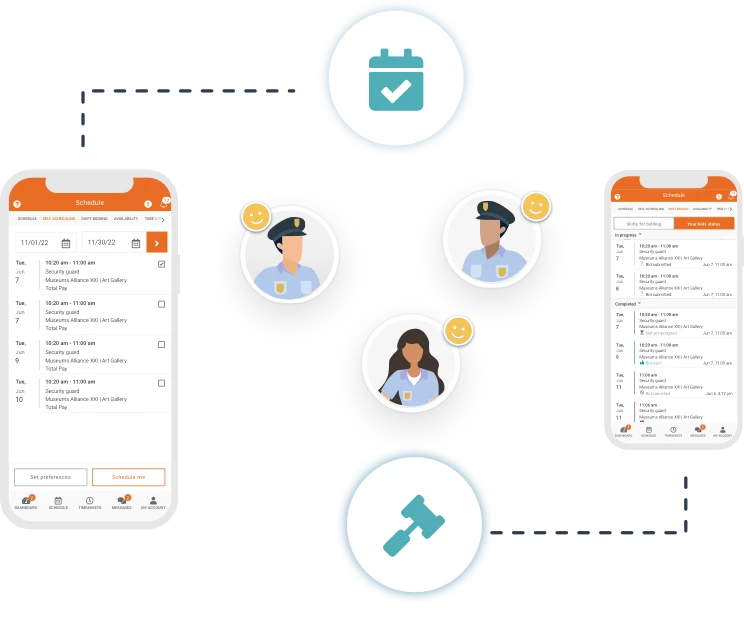
A mobile app allows employees to view their schedules, request time off, and swap shifts with their colleagues. An app also allows managers to communicate with employees and approve time-off requests, improving communication and reducing scheduling conflicts. A mobile app can even automatically alert employees of schedule changes.
Handling schedule changes manually leads to missed shifts and other conflicts. With automated notifications, employees have full visibility at all times.
TIME AND ATTENDANCE TRACKING
Time and attendance tracking allows managers to monitor employee attendance and punctuality. This feature can help businesses reduce labor costs by identifying and addressing attendance issues early on.
Integrated and automated time and attendance ensures attendance matches hours. Schedules are updated with actual hours worked to ensure payroll is accurate and error-free.
The Importance of Automated Employee Scheduling
Automated employee scheduling enables businesses to schedule in the most efficient way possible. Scheduling becomes far more reliable and efficient, and it is better integrated with other business processes, such as payroll.
Employees gain more autonomy over their schedule and can better understand the details of their shifts. A fair and transparent scheduling environment goes a long way toward improving morale, mental health, and, in turn, engagement and retention.
By leveraging intelligent automation in scheduling, a business is empowering its managers and employees to operate at their highest possible capability.